DocsExample scenesPictures, pages and screens
Example scene · Pictures, pages and screens
Kelp Forest
A kelp forest in green-gold water: long blades streaming up from stalks you can't see the foot of, lit gold where the sun comes through them, swaying in the swell, three depths of it fading blue into the water behind, a small school of fish crossing far off. The kelp is drawn by the scene's own web page; the water and the sunlight are Motion's.
Main feature: a Web project layer, HTML, CSS and JavaScript of the scene's own (Web pages and projects). Also uses: Logic as code (the page and the script talking both ways), The pointer, clicks and time, Layers and folders (a gradient, light rays, glow orbs and specks at two depths), Effects and masks (an adjustment layer that moves everything as if seen through water).
What you'll learn
- How a page of the scene's own sits in it as a layer, drawing on Motion's frames and resting while the wallpaper is paused.
- How the page and the script talk both ways: the page sends a click to the script, and the script hands the page a setting.
- Where the depth comes from: three depths of kelp, specks at two depths, and an adjustment layer over everything.
How it's built
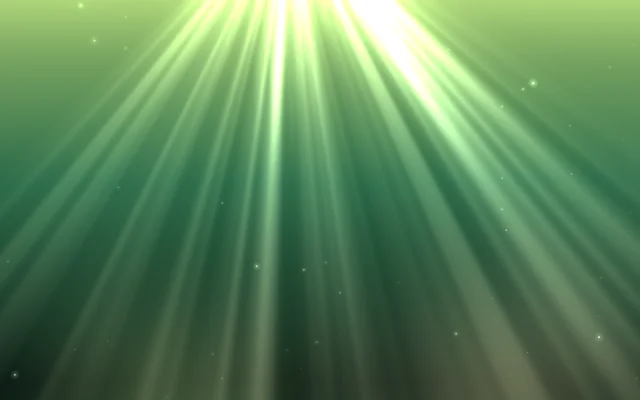
The layers, bottom to top: Water, Light from above, Sun through the water, Drifting specks, Kelp, Near specks, Under water.
- Water is a Gradient, Light from above is Glow orbs, and Sun through the water is a Light rays layer whose Brightness and Source left and right are what the script moves.
- Drifting specks, Motes, drift behind the kelp with their own Depth.
- Kelp is a Web project layer: Project is
kelp, See-through background and Clicks reach the page are on, Frame rate is 30. Its page,web/kelp/index.html, draws on one canvas, so the gradient and the sun's rays below show through between the stalks. It draws onmotion.on("frame", …), so it keeps to the layer's Frame rate and rests while the wallpaper is paused. There are three depths of kelp, the far ones thin and pale with a veil of green water drawn over them. - The page and the script talk.
motion.on("pointer", …)gives the page the pointer: the near stalks lean away from it as from a current, and come back slowly. A click lets a stream of bubbles go from the page, which tells the script withmotion.send; the script'sscene.on("page", …)hears it and the sun breaks through the water there for a moment. The other way, the script tells the page the scene's The swell setting withscene.sendToPage, and the page'smotion.on("message", …)makes the kelp sway more or less. - Near specks, more motes with their own Depth, drift in front, and Under water is an Adjustment layer whose Water and haze moves everything beneath it as if seen through water.
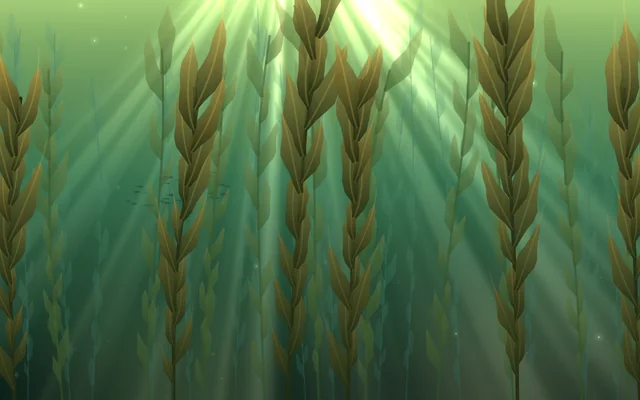
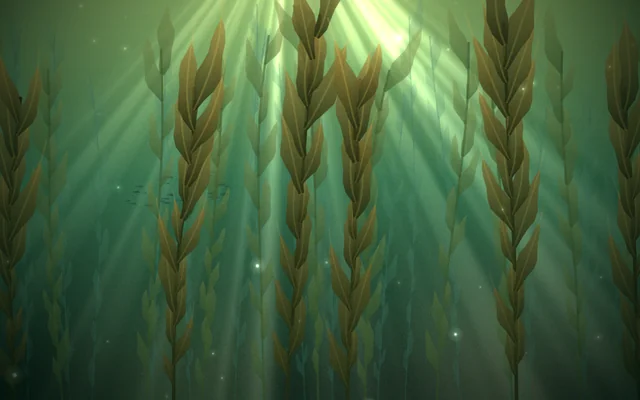
The page is plain JavaScript on a canvas, no libraries. Each stalk is a curve whose sway grows with height; each blade is a ribbon built along a path that streams up with the stalk and curls to one side in the swell, its width rippling along its length, filled with a gradient from the dark stalk to its lit tip. A seeded random lays out the same forest every time.
Look in Studio
It opens from Studio's start page under Start from one of Motion's. Pick Kelp and click Open the editor in the inspector: the page's files, web/kelp/index.html and the rest, open in the Files panel under the preview, and you can change them there. For the script's side, pick Scene at the top of the Outliner and click Open the editor on its Script card: the script.ts tab has scene.on("page", …) and scene.sendToPage. Pick Under water: its effects apply to every layer beneath it.
Make it yours
- Send the page the music: turn on Hears the sound on the Web project and use
motion.on("beat", …)to let the swell surge on the beat. - Have the page send something back on its own, say when the school of fish crosses, and let the script flash the light.
Settings people can change
| Setting | What it does |
|---|---|
| The swell | How much the kelp sways; the script hands it to the page |
| Sun through the water | How bright the shafts of sunlight are |
| The kelp's frame rate | 15, 30 or 60 a second: lower is lighter on a laptop |
| Bloom | How much the bright parts bloom over everything |