Fractal
A slow dive into the Mandelbrot or a Julia set, coloured by a gradient.
- Kind
- Layer · Backgrounds
- Script name
fractal- Cost to draw
- Very heavy
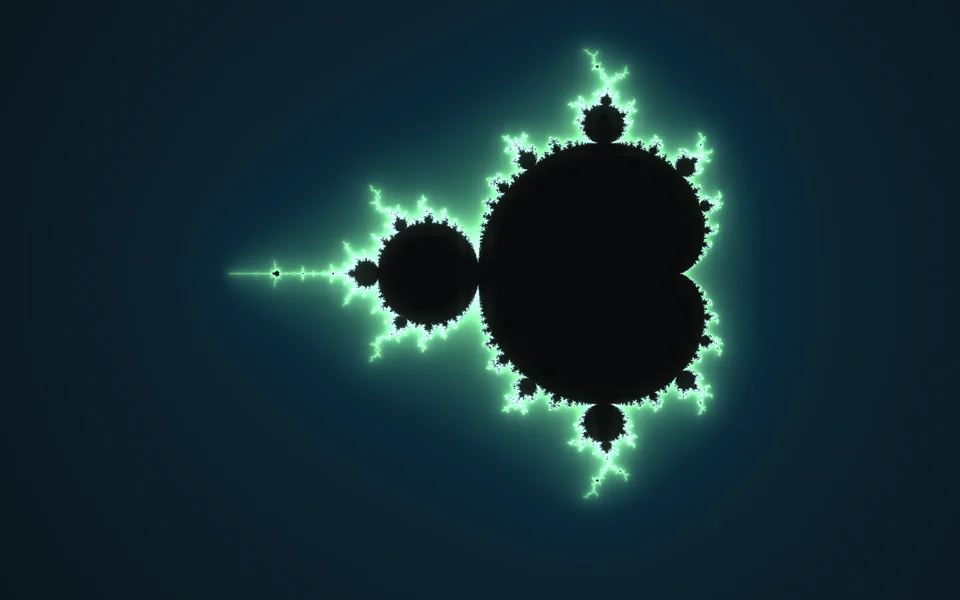
Fractal
| Setting | Kind | Starts at | Range and notes |
|---|---|---|---|
Setset | choice | Mandelbrot | Mandelbrot, Julia |
Dives towardscentre | two numbers | [-0.743643887, 0.131825904] | -2.5 to 2.5 |
Dive speedzoomSpeed | number | 15% | 0% to 100% |
Dives as deep asdeep | number | 3.5 | 0.5 to 4.5Ten to this power, then it starts again |
Detailiterations | whole number | 160 | 32 to 512More is finer, and heavier |
Colourscolours | gradient | #08090aff → #0b2a3aff → #7ce695ff → #caecffff | – |
Colours flowcycle | number | 15% | 0% to 100% |
Julia's seedjuliaSeed | two numbers | [-0.8, 0.156] | -1.5 to 1.5 |
Julia driftsjuliaDrift | number | 30% | 0% to 100% |
From a script
Every setting above can be changed by the scene's logic, by its key. Say the layer is called Fractal:
scene.set("Fractal", "zoomSpeed", 1);scene.animate("Fractal", "opacity", 0.5, 2);import { scene } from "motion";scene.set("Fractal", "zoomSpeed", 1);scene.animate("Fractal", "opacity", 0.5, 2);◆On Scene Start
ƒSet Layer SettingTarget is Layer
TargetFractal
Parameter NamezoomSpeed
Parameter Value1
What every layer has
Besides its own settings, every layer has its opacity, blend, placement, quick effects and an effects stack. They're listed once, on the layers page.
Notes from the community
Written by creators and checked by the docs' editors. Not part of Motion's official reference.